
Clearer question types: Single answer and Multi answer are now separate
- Enhancement
We’ve made a change to how Choice and Grid questions work in Online Surveys, to make survey building clearer — and to protect your data.
Previously, Choice and Grid questions were each a single question type, with a toggle in the question editor to switch between single answer (radio) and multi answer (checkbox). That made it easy to miss what you were creating — and in some cases, changing this setting while a survey was open could lead to response data issues.
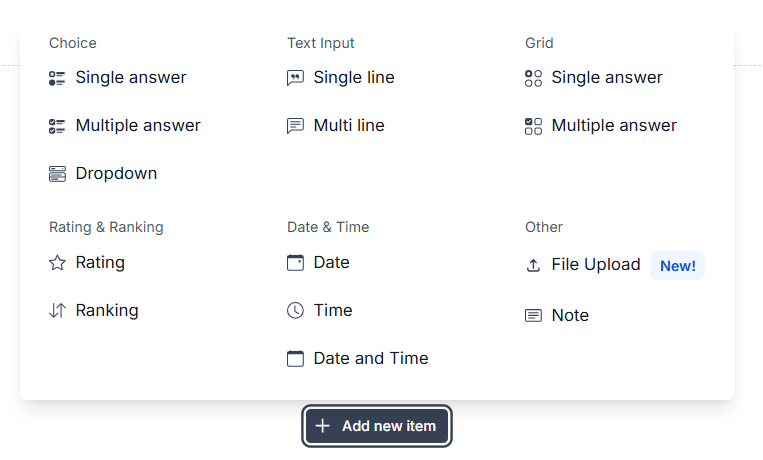
Now, we’ve split both Choice and Grid into two distinct question types:
Single answer (radio)
Multi answer (checkbox)
You’ll see these options upfront in a redesigned Add item menu, so it’s simpler to pick the right question from the start.
Why it helps:
Clearer question types up front make it obvious whether respondents can choose one answer or multiple.
Reduces accidental switching between single and multi answer, and prevents changes that could corrupt response data while a survey is collecting responses.
The redesigned menu creates space for more new question types and options as we expand the builder.
A small change that makes survey setup safer and easier — and available now in all surveys.