
In this article
Bot protection
Your Survey settings allows you to switch on additional protection against bot responses.
Turning on bot protection will enable a Cloudflare Turnstile, which verifies that the respondent is human.
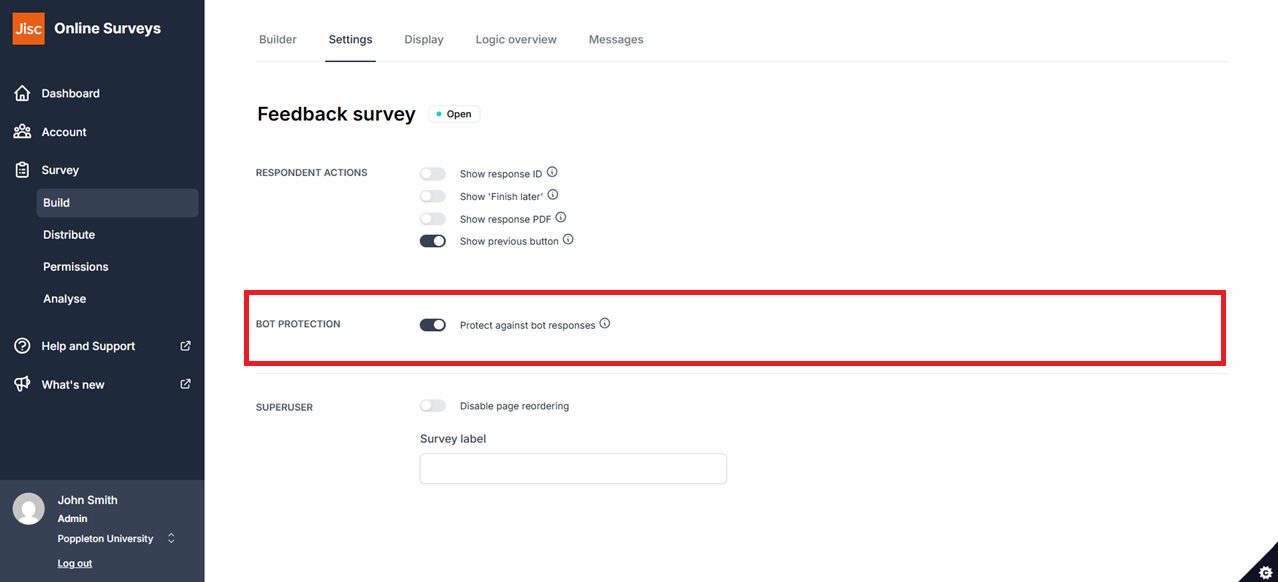
Setting Bot protection
To switch on Bot protection:
- Go to the Build area of your survey.
- Click on the Settings tab.
- In the Bot protection area, switch on the Protect against bot responses toggle.
What respondents will see
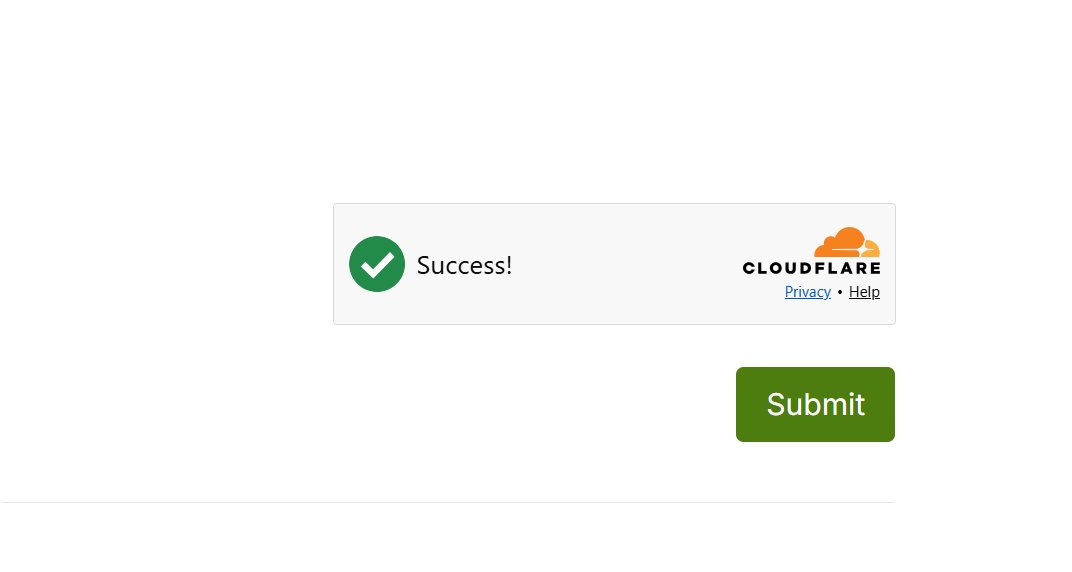
When enabled, a Cloudflare Turnstile check is shown above the Submit button on the final numbered page of the survey.
In most cases, the check happens automatically and the respondent will see it confirm that they have been verified without needing to do anything.
If Cloudflare cannot automatically confirm that the respondent is human, they will be asked to tick the verification box before they can submit their response.
This means most respondents can submit their survey normally, while additional verification is only requested when needed.
How it works
Cloudflare Turnstile looks at a range of signals from the respondent’s browser and device to decide whether their activity appears to be genuine.
This includes small automated checks of the browser environment, the technologies the browser supports, browser behaviour and other characteristics that can help distinguish a person from automated software.
Occasionally, legitimate respondents may have difficulty completing the check, particularly if they are using an outdated browser, are connected through a VPN or proxy, or are on a network that interferes with Cloudflare.
If a respondent reports a problem ask them to try another browser, device or network