
Introducing: Survey templates
- New feature
Starting every survey from a blank page? You can now create a survey from a ready-made template — and build a library of your own.
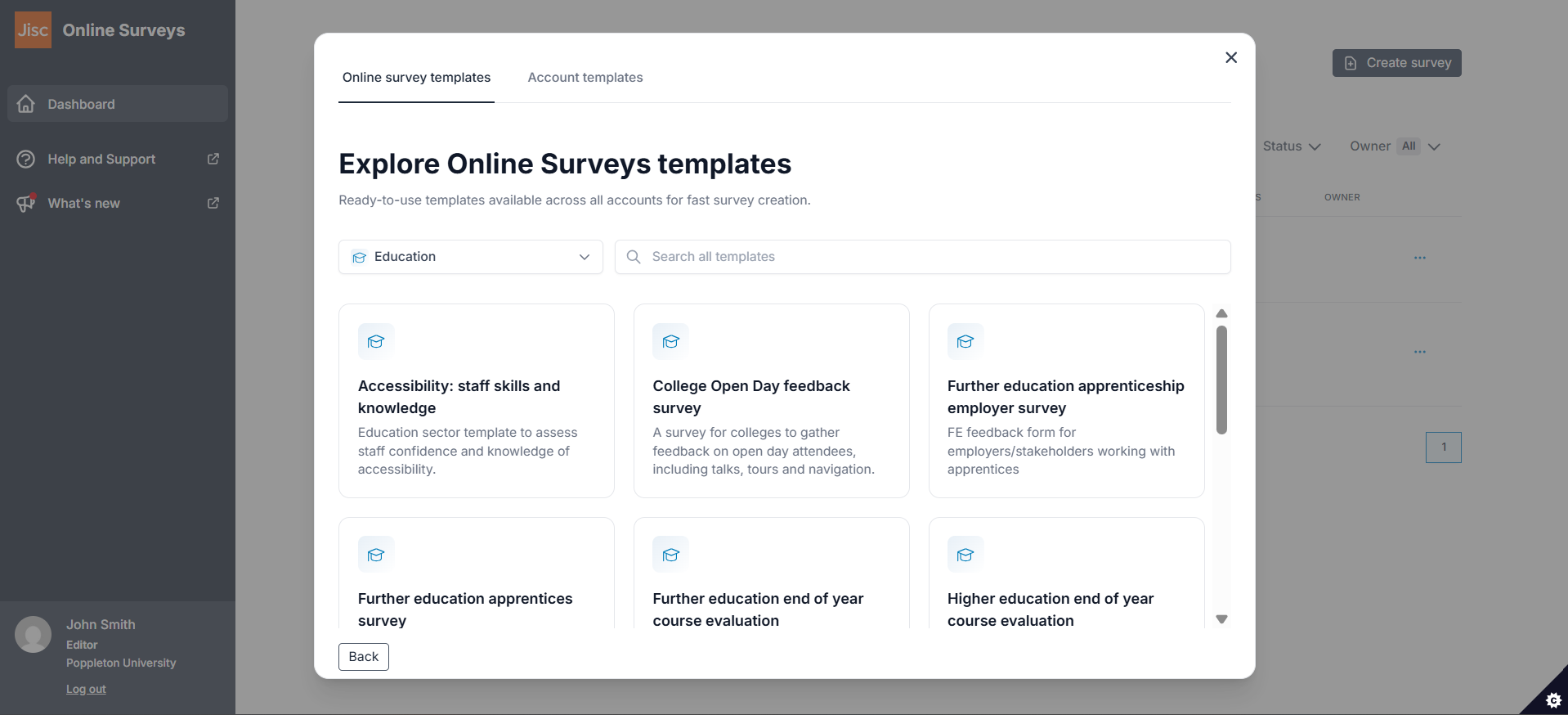
The new survey templates feature gives you two places to start. Online Surveys templates are written by our team and available in every account. Account templates are created by administrators in your own account, so your organisation’s agreed question sets and wording are there whenever anyone needs them.
Click Create survey on your Dashboard and choose Use a template. Filter by category or tag, search by name, and preview any template before you commit to it. Choosing a template creates a new draft survey that you can edit like any other.
For administrators
Any survey in your account can become a template. Open the Survey actions menu on your Dashboard, or click Add to template library in the Build area, then give the template a name, description and category. Add tags to make it easier to find, and choose whether it’s available to everyone in the account or to Administrators only.
Manage the library from Account > Templates, where you can edit template details, create your own categories and tags, and see how often each template is being used.